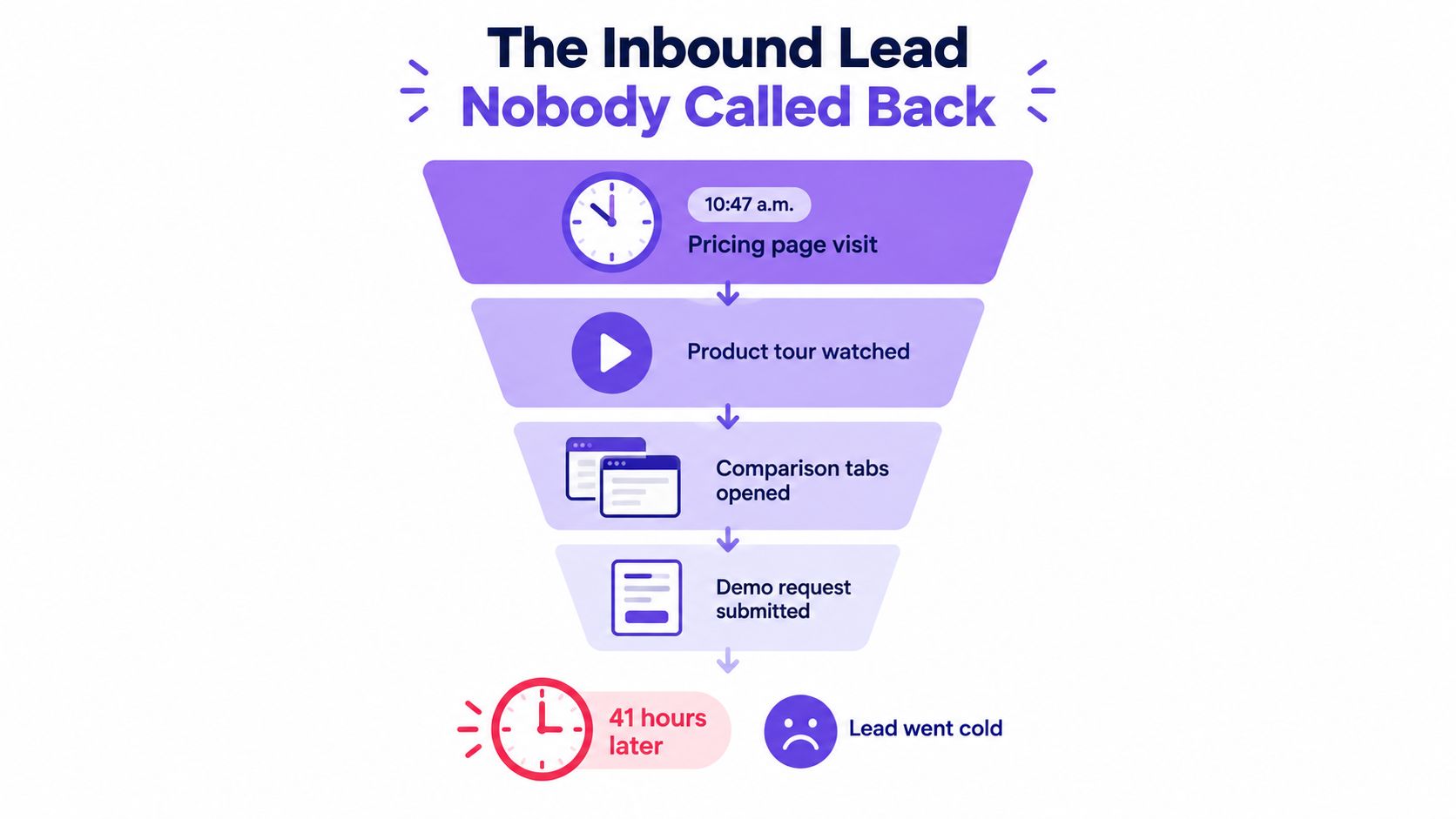
A prospect visits your pricing page, watches the product tour, compares alternatives, then requests a demo. The request lands in a queue. By the time anyone calls, the buyer has moved on. If your lead qualification process measures fit but ignores how quickly your team can respond, it’s measuring only half the problem.
Strong qualification combines buyer fit, buying intent, and operational readiness. The goal isn’t to route every visitor to an SDR. It’s to recognize the right signals, choose a suitable next step, and make that step happen while the buyer is still engaged.
Table of Contents
- The Inbound Lead Nobody Called Back
- The Operational Workflow Behind Every Qualified Lead
- Scoring Fit, Intent, and Recency Separately
- Behavioral Triggers That Signal Real Buying Intent
- When AI Qualifies Better Than Your SDRs
- Routing Rules That Match Tier to Channel
- The Daily Operating Cadence That Keeps It Honest
The Inbound Lead Nobody Called Back
At 10:47 a.m., a prospect checks your pricing page, watches a product tour, opens comparison tabs, and submits a demo request. The CRM creates a record, but no one owns it yet. An account executive calls the next day and reaches voicemail. The lead may still be a fit. Your process failed to meet the moment.
That failure is easy to mislabel as a scoring problem. Teams debate whether a demo request should add more points, or whether a particular title belongs in the ideal customer profile. But a score can’t help if the record sits in a queue without an owner. A lead’s readiness depends partly on your ability to act on its signal, not just on the lead’s attributes.
The speed-to-lead research summarized by Retell AI’s analysis of inbound response times examined approximately 1.25 million inbound leads across 42 companies. Firms that attempted contact within an hour were nearly seven times more likely to qualify a lead than firms that waited an additional hour. Compared with companies that waited at least 24 hours, first-hour responders were more than 60 times as likely to achieve a qualifying conversation with a decision-maker. The same research reported that only 37% of companies responded within an hour, and that the average response time among companies that did respond was approximately 42 hours.
A separate lead-response study summarized by Amplemarket found that leads contacted within five minutes were 21 times more likely to become qualified than leads contacted after 30 minutes. It also reported roughly 100 times higher odds of reaching a prospect when the call happened within five minutes rather than after 30 minutes. These findings make a practical point: response reliability belongs inside qualification, not in a separate sales-operations report.
The same principle applies beyond software. Teams handling qualifying golf club enquiries also need to distinguish a genuine buying signal from casual interest, then follow up while the enquiry is relevant. Your scoring model matters, but ownership, routing, and response time determine whether that model leads to a real conversation.
The Operational Workflow Behind Every Qualified Lead
A workable qualification process doesn’t begin with a points threshold. It begins with an event, a clock, and a defined path to a decision. Run every inbound signal through the same sequence so no one has to guess whether marketing, sales, or automation owns the next move.
Six stages from signal to CRM outcome
-
Capture the event. Record the visitor action and its precise timestamp. Start the response clock when intent appears, not when a delayed integration creates a CRM record. Keep the source, page or action, consent status, and known account identity with the event.
-
Enrich the record. Add the information sales needs to make a useful decision: company and account identity, industry, geography, likely role, existing-customer status, and relevant account ownership. Mark unknowns as unknown. Don’t let incomplete enrichment turn into an assumed fit.
-
Score separate dimensions. Evaluate fit, intent, and recency independently. This prevents a burst of browsing from disguising a poor account match, or a strong account profile from disguising a lack of current interest. The next section sets out how to structure those scores.
-
Apply disqualifiers and decay. Flag categories that shouldn’t enter a sales queue, and reduce the weight of stale activity. A lead that showed interest weeks ago shouldn’t appear newly urgent just because an old score never expired.
-
Route to a real next step. Send qualified leads to an available SDR, an AI conversation, or a self-scheduling option according to the tier and the prospect’s signal. A routing rule is incomplete unless it names an owner, channel, and response expectation.
-
Write the outcome back. Store the disposition, reason, owner, next action, and timestamps in the CRM. Sales and marketing need to see whether a record was accepted, disqualified, nurtured, or left unresolved, and why.
Make each handoff auditable
Use a written qualification contract between marketing and sales. Define what evidence qualifies a lead, what disqualifies it, and which team owns the next action. If discovery questions are part of the handoff, keep them focused on buyer context, with a shared guide to discovery questions in sales helping teams use consistent language without turning the first conversation into an interrogation.
Automation helps only when it preserves accountability. Teams mapping practical lead automation workflows should make every trigger produce an observable result: an assigned owner, an outreach attempt, a booked meeting, or a recorded reason that the lead didn’t advance.
Scoring Fit, Intent, and Recency Separately
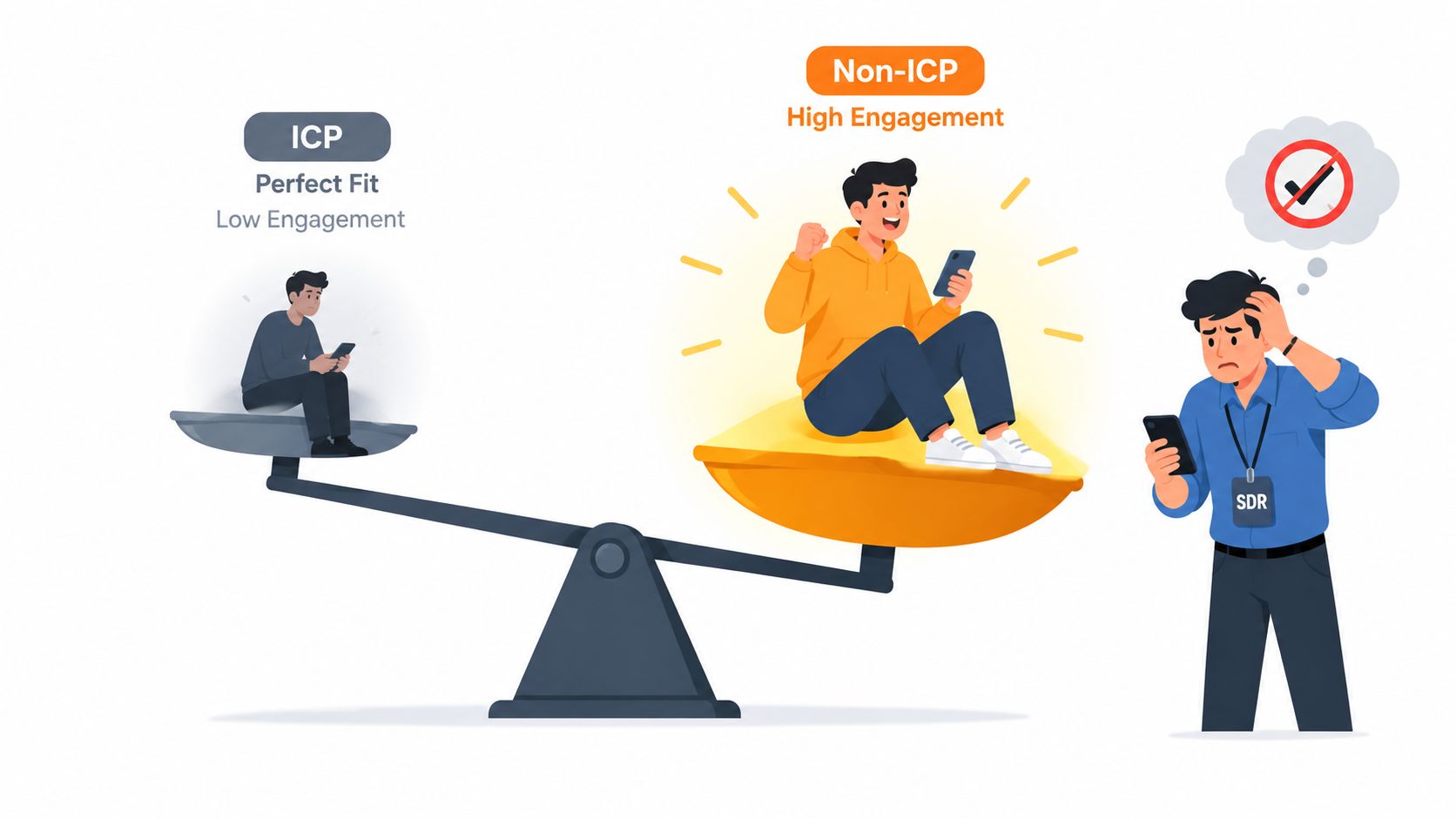
A single blended score can hide bad trade-offs. A non-ICP visitor who clicks through several pages may outscore a high-fit account that has shown limited activity. The SDR sees a high number and assumes the lead is ready. That’s how scoring creates activity without creating a healthier pipeline.
Instead, assess three dimensions separately. Fit acts as a gate, not as a pile of points that browsing can overwhelm. Intent and recency then help determine what to do next among leads that pass the fit check.
Use dimensions, not one magic score
-
ICP fit: Check whether the company, geography, and likely buying role align with your target customer. If you choose to use a weighted model, fit might represent 30% of the score, but set a minimum fit threshold first. Strong intent shouldn’t automatically qualify a clearly unsuitable account.
-
Behavioral intent: Look at meaningful actions such as repeat pricing-page visits, product exploration, comparison research, or a demo request. A sample model might give this dimension 40% of the total. Choose the signals that reflect real evaluation in your buying journey, not every click your analytics tool can capture.
-
Engagement recency: Give more weight to fresh, repeated activity than to an isolated visit from the distant past. A sample model might allocate 30% here, with intent signals decaying after 14 days unless fresh evidence appears. Treat those weights and decay rules as starting choices to test, not industry-wide laws.
Give disqualifiers their own rules
Mark records that shouldn’t be treated as sales opportunities, such as competitors, students, job seekers, or existing customers who belong in a customer-success or expansion motion. Don’t rely on a negative score alone to handle a disqualifier. An explicit status and reason prevent the record from re-entering the sales queue when another signal fires.
Practical rule: Require acceptable fit before routing a prospect to an SDR. Then use intent and recency to decide the speed and type of follow-up.
Review accepted and rejected leads together. If sales repeatedly rejects records that pass the score threshold, identify the missing fit or context rule. If real opportunities keep appearing below the threshold, inspect the specific behavior or account evidence the model missed. The goal is a score sales can trust, not a high MQL count.
Behavioral Triggers That Signal Real Buying Intent
A page view isn’t proof of purchase intent. A visitor may be researching a category, checking a vendor for a colleague, or browsing without any active project. Treating all activity as buying intent fills SDR queues with records that look busy but don’t have a clear reason for immediate outreach.
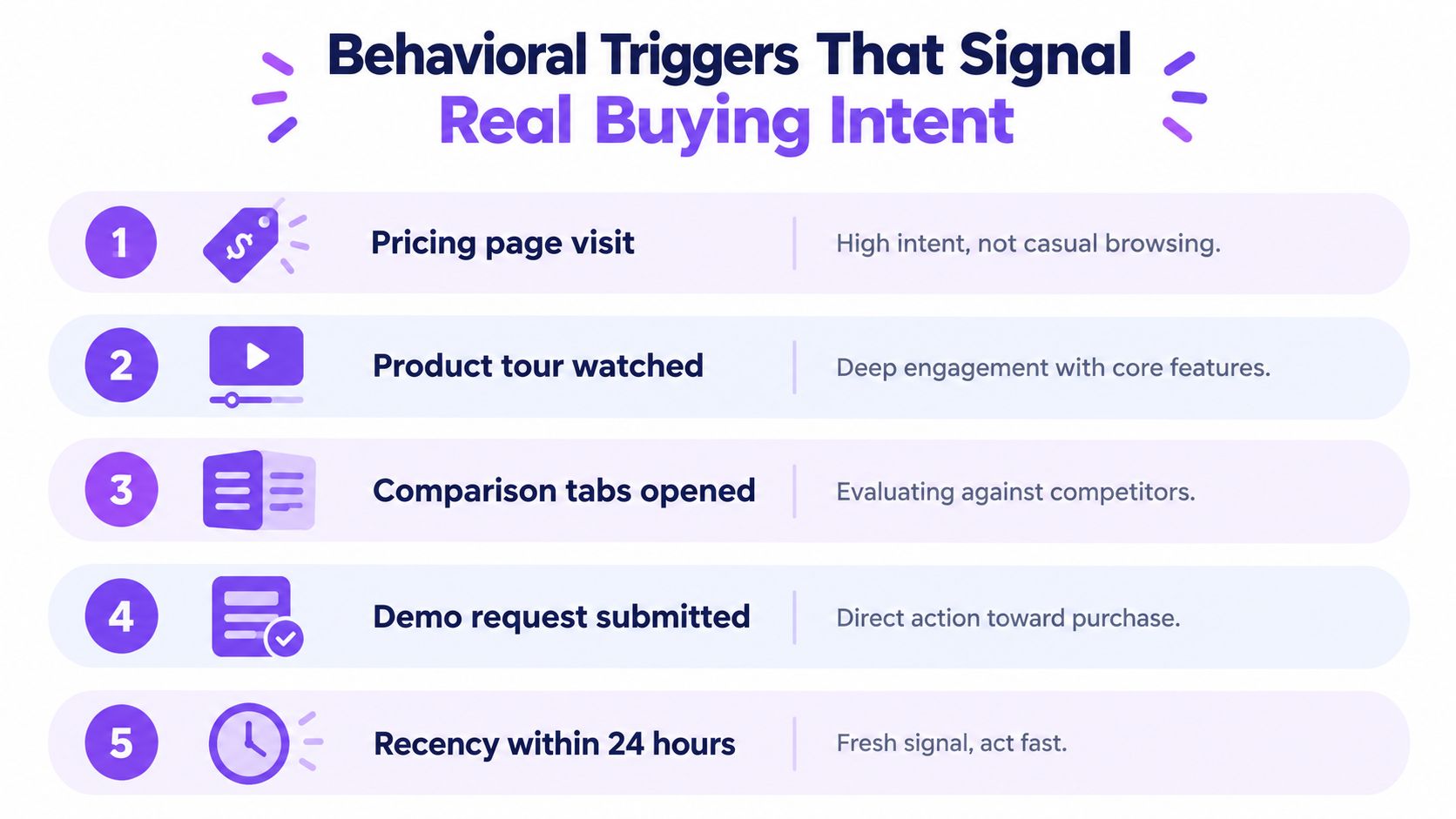
Look for behavior with context. A pricing-page visit matters more when it’s paired with a return visit, product research, or an explicit request. A demo form is important, but the actions before submission can tell your team what the buyer is comparing and what kind of help could be useful.
Read the sequence, not just the last click
Consider two anonymous visitors from accounts that appear to fit your ICP. One lands on a blog post and leaves. The other visits pricing, watches a product tour, returns to a product page, and opens comparison material. Neither has introduced themselves, but the second visitor has left a stronger trail of evaluation. Offer a low-friction way to ask questions or speak to someone rather than pretending the visitor’s identity and needs are known.
Prioritize signals such as repeat visits to pricing or product pages, time spent exploring decision-critical information, competitor comparisons, and meaningful use of an ROI calculator. A prospect who watches a product demonstration and then submits a demo request presents a clearer next step than someone who merely opens an email. Keep signals tied to the page or action that produced them so an SDR can follow up with relevant context.
For teams building a view of B2B intent data, the key is to combine account fit with the activity itself. An anonymous visitor may be ready for self-service information, an assisted evaluation, or direct sales contact. Those are different states, and they don’t all call for a meeting request.
Use the signals to choose an appropriate experience. A visitor seeking product details might benefit from an immediate answer; someone actively comparing options may want a guided walkthrough. When a buyer asks to speak with sales, make that path direct. Don’t force every high-intent visitor through the same form and wait process.
Here’s a concise overview of how behavioral signals can fit into qualification:
When AI Qualifies Better Than Your SDRs
AI qualification isn’t a substitute for human judgment. It’s a way to provide coverage when a person can’t respond immediately, and to reserve SDR time for conversations where human involvement adds value. Human-only routing remains sensible for complex, high-value accounts with clear buying intent. It’s a poor default for every visitor, especially when the lead arrives outside business hours or the queue is already backed up.
The strongest use cases are straightforward:
- After-hours demand: An AI conversation can acknowledge interest, answer basic product questions, collect context, and offer a meeting path instead of leaving a form untouched until the team returns.
- High-volume, lower-priority traffic: AI can ask initial questions and separate likely fits from obvious mismatches before an SDR spends time researching each record.
- Self-service evaluation: Some buyers want information before they’re ready to speak with a representative. AI can help them progress without turning every interaction into a forced sales call.
Set the handoff test before launch
If your median response time without automation is above 30 minutes, if promising leads arrive when no representative is available, or if SDRs spend too much time on poor-fit enquiries, test AI coverage. Those are operational warning signs, not guarantees that automation will fix a weak qualification model.
AI should collect useful context, recognize when a prospect needs a human, and write a specific disposition into the CRM. A note such as “asked about implementation and requested a demo” gives an SDR a starting point. A generic “qualified by AI” label does not. Set escalation rules for uncertainty, sensitive questions, account ownership conflicts, and buyers who explicitly request a person.
Automation should make the human handoff warmer, not create another queue nobody owns.
Compare AI-assisted qualification with human-only routing by looking at whether prospects receive a relevant response, whether the handoff includes usable context, and whether sales accepts the conversation. If AI is fast but sends irrelevant leads to reps, tighten its fit checks. If it answers routine questions but fails to recognize a buying request, revise its escalation rules. Keep the human responsible for judgment; let automation handle availability and repeatable first steps.
Routing Rules That Match Tier to Channel
A routing rule needs four things: a tier, an owner, a channel, and an SLA. “Route high-intent leads quickly” is not a rule. It doesn’t say who receives the lead, what happens if that person is unavailable, or how quickly the team must make meaningful contact.
The matrix below gives teams an operational starting point. These times are proposed internal targets, not research findings. Adjust them to your staffing, coverage, and sales motion, then monitor whether the team can meet them.
Build a route that doesn’t depend on one person
| Tier | Definition | Channel | Owner | SLA |
|---|---|---|---|---|
| Tier one | Named account, strong ICP fit, live pricing or product intent | In-browser video, click-to-meet, or direct call | Dedicated account SDR or AE | Route within 60 seconds; first meaningful conversation within five minutes |
| Tier two | Clear intent, but fit or account priority needs review | SDR outreach with AI collecting context during the wait | Inbound SDR pool | Assign within five minutes; begin outreach promptly |
| Tier three | Mixed signals or incomplete qualification evidence | AI conversation, then human review if qualified | AI queue, then available SDR | Engage immediately; route to a person when criteria are met |
| Tier four | Poor fit, weak intent, or explicit disqualifier | Nurture or close with a recorded reason | Marketing operations or lifecycle owner | Record disposition as part of the workflow |
Don’t let a Tier-one lead wait behind a busy owner. If the assigned rep doesn’t accept within 90 seconds, escalate to the next available representative or start an AI interaction. The precise escalation window is a policy choice; what matters is that the lead doesn’t sit in an unmonitored queue.
Teams comparing lead scoring and routing options should check whether the system can enforce ownership, timing, fallback, and CRM writeback together. A routing tool that assigns a record but can’t show whether anyone responded only solves the visible part of the problem. Keep the same operational standard when choosing lead distribution software: the route should end in a recorded action, not just an assignment.
The Daily Operating Cadence That Keeps It Honest
Qualification rules drift when nobody reviews what happened after a score fired. Marketing may keep sending leads that sales rejects. SDRs may ignore a threshold because they’ve learned it produces weak conversations. A model can look tidy in the CRM and still fail in day-to-day use.
Review exceptions before changing the score
Each morning, have the SDR lead inspect the previous day’s unresolved handoffs, AI-qualified conversations, and records that exceeded their SLA. Ask what happened, not just whether the system fired. A lead may have stalled because the owner was unavailable, the route was wrong, or the qualification evidence was too thin. Those are workflow problems, and adding points won’t repair them.
On a regular team review, audit disqualification reasons by source and segment. Look for leads sales accepted despite a low score, high-scoring leads that didn’t progress, and accounts rejected because of a clear ICP mismatch. Keep evidence with each disposition so the team can distinguish a bad score from incomplete data or inconsistent sales judgment.
Recalibrate with outcomes
Review SQL acceptance, opportunity creation, time to first meaningful response, and pipeline created per high-intent session. The change you make should match the failure you found: revise a threshold when good-fit leads are consistently missed, repair routing when leads arrive late, and coach SDRs when the handoff is sound but the conversation isn’t.
Use funnel stages as diagnostics, not quotas. A 2025 benchmark synthesis of marketing-qualified lead conversions reports approximate ranges of 2.3% visitor-to-lead, 31% lead-to-MQL, 13% MQL-to-SQL, 30% to 59% SQL-to-opportunity, and 22% to 30% opportunity-to-customer. Those figures are directional benchmarks, not universal targets. Your own source mix, market, and sales process determine what a healthy funnel looks like.
Operating principle: Fix the stage where evidence shows the leak. Don’t lower the score just because sales missed an alert, and don’t add automation to compensate for unclear qualification criteria.
Keep a record of threshold changes, routing changes, and coaching actions so the team can connect adjustments to later outcomes. That discipline turns qualification from a one-time setup into an operating system the revenue team can inspect and improve.
Captiwate helps B2B teams identify website visitors, engage them through in-browser video or AI chat, and route qualified conversations into sales workflows with CRM sync. If your inbound process still leaves high-intent visitors waiting for a callback, visit Captiwate to see how live engagement and automated qualification can fit into your pipeline.