Tuesday morning, the pricing page is busy. Your SDRs are already on calls, a promising visitor leaves without booking, and the team’s pipeline review still has deals that should have moved forward. By the time someone sees the alert and follows up, the buyer may be comparing another vendor.
The decision isn’t whether to add an artificial intelligence sales assistant. It’s whether the assistant should handle a prospect end to end or get a qualified buyer to a human faster. Those are different operating models, with different risks and different ways to prove value. The right choice depends on the buyer’s intent, the complexity of the conversation, and the quality of your handoff.
Table of Contents
- The Hot Lead That Just Left Your Pricing Page
- What an AI Sales Assistant Actually Is
- The Core Capabilities That Matter
- Why Speed to Lead Changes the Math
- Where AI Sales Assistants Actually Get Used
- How to Choose the Right AI Sales Assistant
- Measuring Incremental Pipeline, Not Just Activity
- A Practical 90-Day Deployment Plan
The Hot Lead That Just Left Your Pricing Page
A pricing-page visit is a useful signal, not a complete buying brief. The visitor could be a decision-maker comparing vendors, a current customer checking plan details, or someone who arrived through an irrelevant search. Treating every visit as a hot lead floods sales with noise. Treating none of them as urgent leaves buyers waiting.
That’s why the central question isn’t whether AI can answer questions. It’s whether your sales process needs full automation or faster access to a person. When an assistant can resolve routine questions and collect basic context, it can reduce friction. When a prospect has a complex security concern, a specific commercial request, or a strong reason to speak with a representative, the assistant should make that handoff easy.
The operating principle: automate the first useful action, not the relationship. Let AI handle routine work, but make the path to a human visible and dependable.
A strong deployment starts with a clear boundary: what can the assistant answer, what information should it collect, and which signals should trigger escalation? It also needs a way to record what happened, so the sales team can take over without asking the prospect to repeat everything.
The case for AI is substantial, but adoption alone doesn’t prove business value. Stanford’s 2025 AI Index report on the economy says 78% of surveyed organizations used AI in at least one business function in 2024, up from 55% in 2023. The same report says generative AI use in at least one function rose from 33% to 71%. For sales leaders, that makes the next question operational: does your assistant create more qualified conversations and incremental pipeline, or just more activity?
What an AI Sales Assistant Actually Is
Think of an AI sales assistant as a set of sales-team roles combined into one workflow. It can greet a visitor like a receptionist, ask a qualifier’s questions, offer a meeting like a scheduler, and leave the account owner a concise summary like an assistant manager. The value comes from coordinating those jobs, not from putting a chat box on a website.
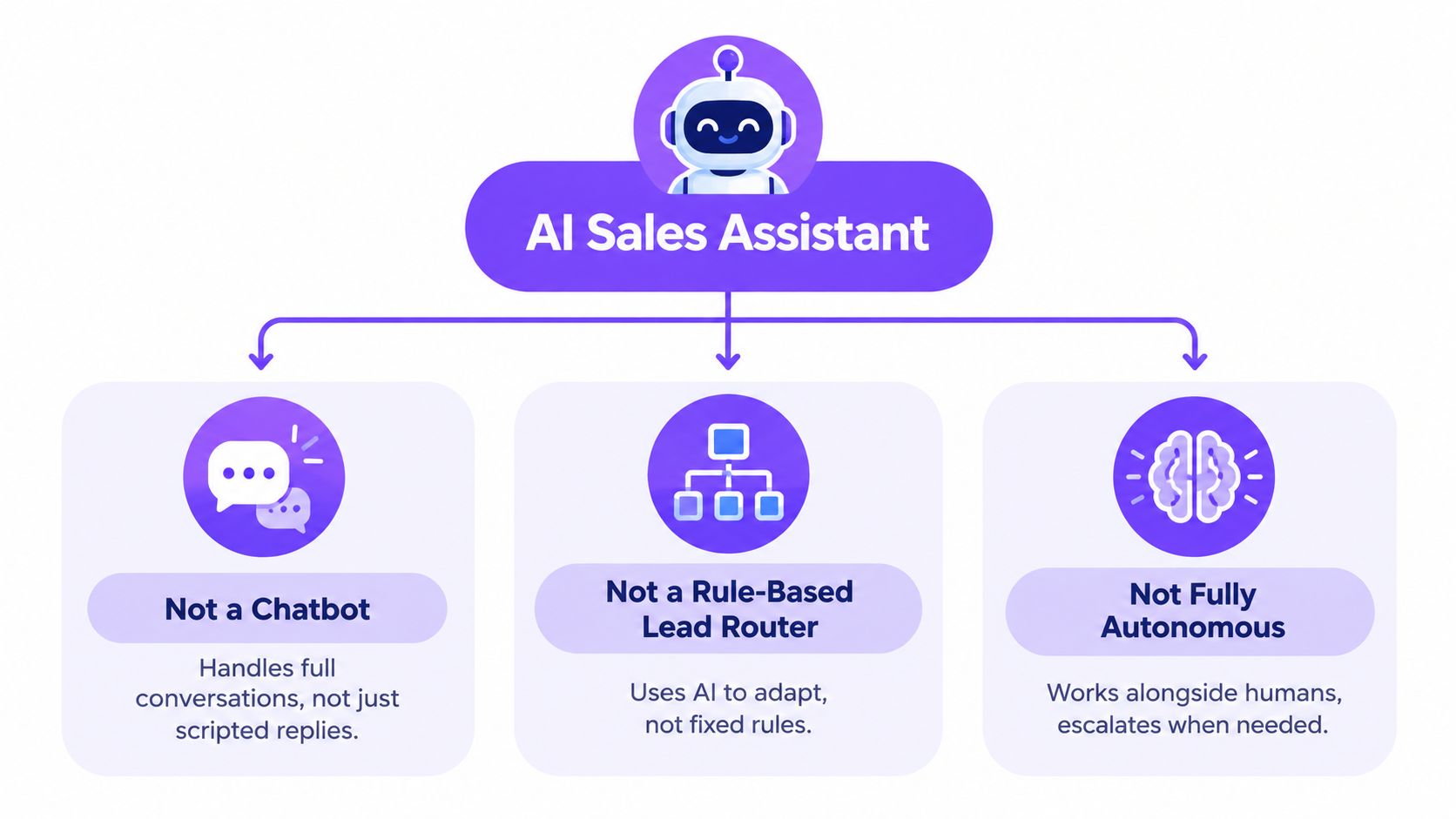
A basic chatbot usually answers questions through scripted paths. A traditional lead router applies fixed rules, such as sending a form submission to a territory owner. An AI sales assistant can interpret what a person says, use behavioral context, decide what to ask next, and choose whether to answer, schedule, route, or escalate. It should still follow business rules and permissions. It isn’t a substitute for human judgment, and it isn’t a magic button for pipeline.
The layers behind the experience
Under the interface, the system needs several connected capabilities:
- Intent detection reads conversation and behavioral signals to estimate what the visitor wants.
- Language understanding interprets questions and answers without forcing every buyer down a rigid script.
- Decision logic determines which question, response, or next action fits the situation.
- Integrations move useful context into the CRM, calendar, and collaboration tools.
- Escalation connects the prospect to a person when the assistant reaches a boundary or the buyer asks for help.
These layers matter more than the label a vendor puts on its product. Some vendors focus on AI prospecting or autonomous outreach, while others handle website conversations and human handoffs. If you’re comparing a human-assisted setter workflow, browse the AI setter offering as one example of how providers frame that service.
A practical test is whether the assistant can explain its own actions in terms your sales team can use. It should show what the visitor asked, what signals shaped the qualification, why it chose a route, and what the rep should do next. If it can’t, you haven’t bought a reliable assistant. You’ve bought a conversation interface with an unclear operating model.
The Core Capabilities That Matter
Vendor demos often make AI look effortless. Pressure-test the workflow instead. Ask the vendor to show what happens when a visitor asks a routine question, signals purchase intent, and then raises an issue the assistant shouldn’t handle alone.
Intent, qualification, and routing
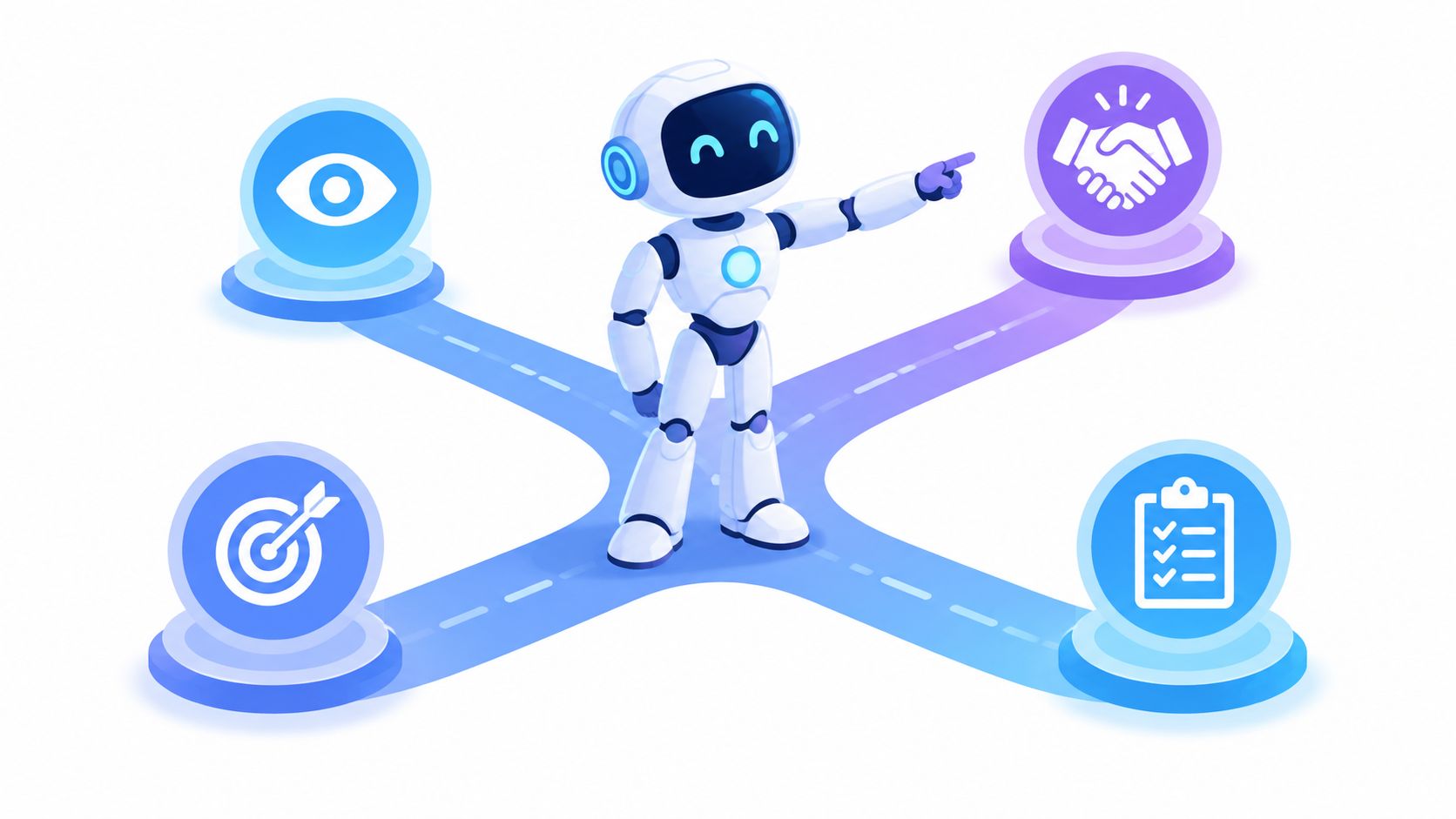
Intent detection should combine what a visitor says with relevant context, such as the page they’re viewing and whether they’re identified as part of a target account. A visit to a blog post doesn’t mean the same thing as a question about pricing or a request to discuss security. If the assistant treats those signals alike, its recommendations won’t help reps prioritize.
Qualification isn’t an interview. The assistant should ask only what it needs to decide what to do next. A common failure is asking a long sequence of form questions after a buyer has already said they want a demo. Good qualification knows when to stop and offer a meeting or a live conversation.
Routing should reflect your actual coverage model: territory, account ownership, product line, availability, and escalation policy. When you review a vendor, test unusual scenarios and confirm that a rep can override an incorrect assignment.
Scheduling, CRM sync, and escalation
A scheduler should show real availability, book the selected slot, and preserve the context the buyer already supplied. A meeting booked with no useful summary is a weak handoff. The CRM record should capture the visitor’s questions, relevant signals, answers to qualification prompts, and the chosen next action.
For a deeper look at the qualification decisions behind that workflow, see Captiwate’s guide to AI lead qualification. Use the ideas to create a test script for your own buying process, not as a reason to accept a vendor’s default qualification template.
Practical rule: every handoff should tell the rep why the prospect was routed, what the assistant learned, and what action it recommends next.
This is explainable handoff. It gives sales a usable record, helps managers audit routing decisions, and makes it easier to spot when the assistant asks unnecessary questions or escalates too rarely. If a demo can’t show that paper trail, ask what data the system does save and where the rep will find it.
Why Speed to Lead Changes the Math
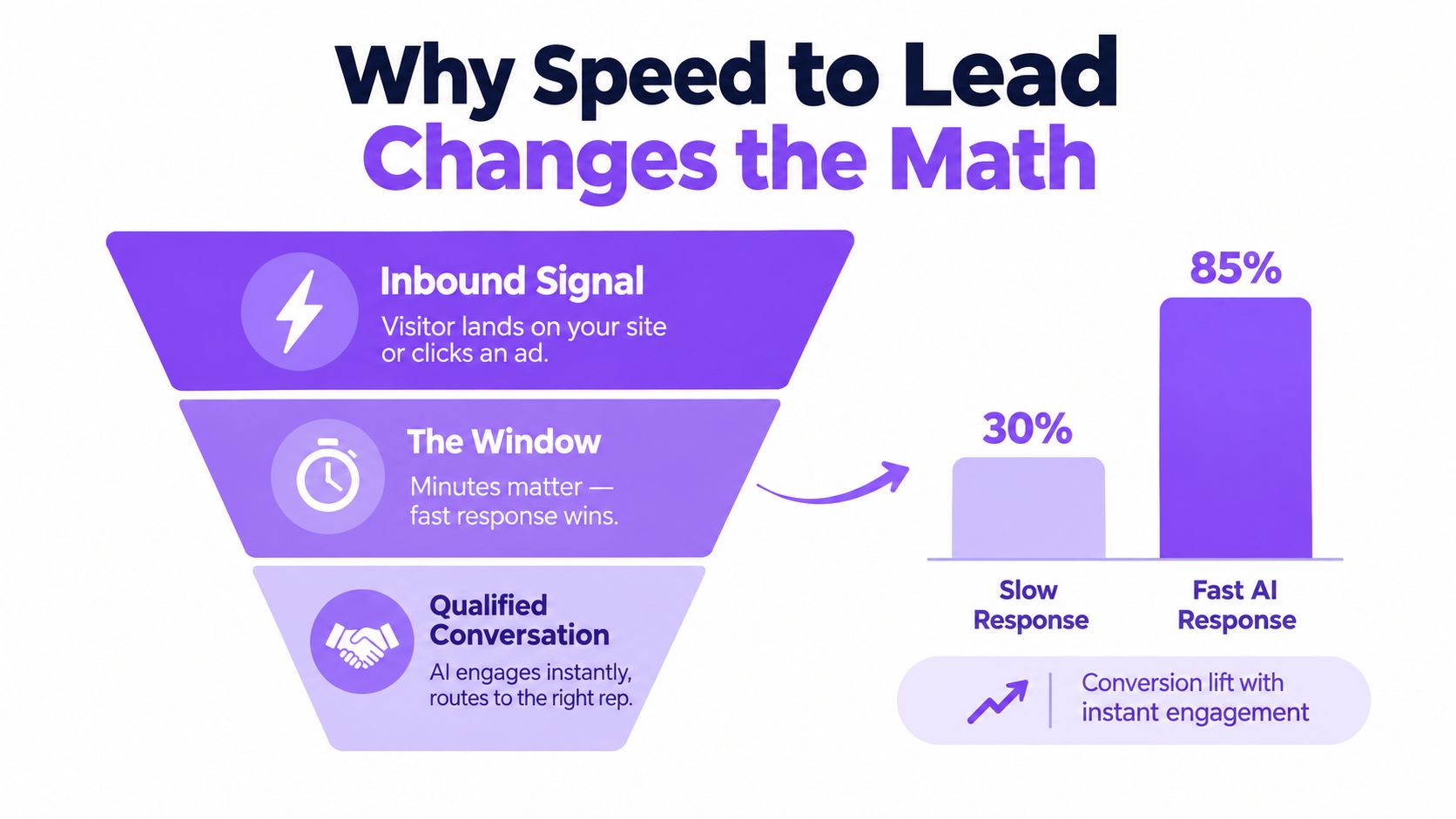
An inbound signal loses value when your team takes too long to act on it. A Harvard Business Review study summarized in the available speed-to-lead evidence found that companies contacting a lead within an hour were nearly seven times more likely to qualify it than companies waiting an additional hour, and more than 60 times more likely than companies waiting at least a day. That evidence concerns human follow-up, not AI performance. It shows why response timing matters, but it doesn’t guarantee that automation will improve results.
Fast isn’t the same as useful
A bot can answer instantly and still make a bad first impression. It might ask for information the buyer already provided, fail to recognize an urgent request, or route a high-value prospect to an unmonitored queue. Speed is a service condition, not a success metric. The assistant must understand enough to move the conversation forward.
Set up a short workflow for high-intent events: recognize the signal, ask only essential questions, offer a browser conversation or meeting, and escalate when the prospect’s needs exceed the assistant’s scope. Use separate routing policies for strategic accounts and unknown visitors. When confidence is low, choose a deterministic fallback or offer a human rather than bluffing.
The scorecard should look beyond the first response. Track event-to-response time, classification quality, qualified conversations, human escalations, completed bookings, and meeting attendance. A fast response that produces low-quality meetings can consume more rep time without improving the pipeline.
Teams with distributed locations or territories also need a clear ownership policy, not just an instant greeting. For an example of the operational challenges behind lead generation for franchises, consider how a routing design must account for who owns a lead and who can respond. For more on the sales consequences of slow follow-up, Captiwate discusses why lead response time can cost business.
Where AI Sales Assistants Actually Get Used
The same assistant should behave differently depending on the visitor and the buying signal. A pricing-page visitor who asks about implementation deserves a different response from an anonymous reader browsing a general article. Put the behavior in the workflow, not in a vague promise that the AI will “personalize.”

Four workflows worth testing
Inbound demo requests: Confirm the buyer’s immediate need, capture any missing context, and offer a meeting or live conversation. Don’t make a person who explicitly requested a demo complete an elaborate qualification sequence first.
After-hours traffic: Answer routine questions and let qualified prospects book directly into an available calendar. The next rep should receive the conversation summary and enough context to continue without restarting the discovery process.
ABM target accounts: Use account tier and relevant page behavior to set the escalation threshold. A target account engaging with product, comparison, or security content may warrant a named-rep handoff, while an unidentified visitor on an educational page may only need a low-pressure invitation to ask a question.
Customer expansion: Route current customers to the right account or customer-success owner. The assistant should recognize that a support question, renewal discussion, and expansion inquiry call for different next steps.
Use these as distinct journeys in your test plan. For each one, define what counts as a qualified conversation, who owns the follow-up, and what the assistant is allowed to promise. Captiwate’s overview of an AI appointment setter is a useful reference for thinking through the meeting-booking part of the workflow.
Here’s a short product walkthrough to consider alongside your own workflow design:
Treat any demo as a prompt for questions, not proof of fit. Ask how the system handles a request it can’t answer, how it records the reason for an escalation, and how a rep can see the full interaction. The quality of those transitions will determine whether the assistant feels like part of the sales team or another tool the team has to work around.
How to Choose the Right AI Sales Assistant
Don’t buy based on the most impressive conversation in a scripted demo. Choose the system that fits your actual routing, handoff, and reporting requirements. A vendor should be able to explain what data it uses, what it writes to your CRM, and what happens when it can’t confidently answer.
A demo scorecard
Use the table to assess each vendor against the same scenarios. Ask for a live demonstration using your own qualification rules, then record what the system does rather than scoring its presentation.
| Criterion | What Good Looks Like | Red Flag |
|---|---|---|
| Intent detection | Uses conversation and visitor context to distinguish curiosity from buying intent | Treats every page visit or question as a sales-ready lead |
| Escalation quality | Offers a clear route to a human and passes along useful context | Hides the human option or sends a bare notification |
| Integration depth | Syncs the conversation, outcome, and ownership to your CRM and collaboration tools | Requires reps to copy details manually |
| Security and data control | Clearly explains access, retention, privacy, and available enterprise controls | Gives vague answers about how visitor or CRM data is handled |
| Measurement support | Lets you separate assistant activity from qualified pipeline and later outcomes | Reports engagement volume without connecting it to CRM stages |
| Pricing transparency | Makes it clear what drives the cost and what capabilities are included | Adds unclear charges as seats, conversations, or usage grow |
Also test whether the vendor supports controlled experiments, whether managers can inspect conversation records, and whether sales operations can change routing without a major engineering project. If you’re comparing tools across the broader lead-generation category, see what OGTool recommends, then evaluate any shortlist against your own handoff and measurement needs.
Walk away from a pitch that treats autonomy as the goal. A useful assistant doesn’t need to do everything. It needs to make the right decisions within its scope, preserve a clean route to a human, and give your team enough evidence to judge whether it’s helping.
Measuring Incremental Pipeline, Not Just Activity
More conversations aren’t proof of more pipeline. A system can lift chat volume, response speed, and bookings while sending low-intent prospects to reps. Measure the outcomes that matter after the first interaction.
McKinsey estimates that generative AI could raise sales productivity by approximately 3–5% of current global sales expenditures, as described in its analysis of the economic potential of generative AI. Treat that as a planning range, not a promised conversion gain. Your own baseline and experiment should determine whether the deployment creates value.
Run a controlled test
Use a holdout group that receives your standard experience, and compare it with the AI-assisted journey. Keep traffic source, segment, territory, and rep capacity as consistent as you can. Before launch, write down the success metrics and how you’ll validate each opportunity in the CRM.
Report AI qualification, human escalation, booking completion, attendance, opportunity creation, and revenue influence separately. Include implementation, review, and remediation costs. Avoid giving the assistant credit for deals that would likely have converted through the existing process.
Forecast uncertainty makes disciplined attribution even more important. Gartner reports that only 7% of teams achieve at least 90% forecast accuracy, while median forecast accuracy is 70–79%, according to its sales AI overview. The point isn’t to distrust every result. It’s to validate the CRM stages and compare like with like before claiming incremental pipeline.
A Practical 90-Day Deployment Plan
Start narrow. In the first 30 days, select one high-intent page, one controlled traffic segment, and three outcomes: qualified-conversation rate, speed to human follow-up, and meeting quality. Confirm the fallback route and assign a person to review transcripts and routing decisions.
In the next 30 days, add a second segment and adjust escalation rules based on what the first test reveals. Keep a holdout so you can tell whether the new journey is changing outcomes, not just activity.
In the final 30 days, expand only if qualified pipeline improves without creating a pile of low-intent handoffs. Don’t scale a workflow that reps ignore, a bot that over-automates, or a project no one owns. Run the test, review the evidence with sales and revenue operations, and make the expansion decision together.
Captiwate combines AI chat, visitor intent signals, scheduling, and live in-browser sales conversations, with CRM and collaboration integrations to carry context into follow-up. If your team is deciding where automation should stop and a human should take over, visit Captiwate to see how that approach can fit your inbound workflow.