One generic page asks every visitor to do the same translation work. A first time reader has to decide if you’re relevant, a pricing shopper has to hunt for fit, and a returning prospect has to read an introduction they’ve already seen. Landing page personalization removes that friction by changing the next step to match a signal the visitor has already given you, and it works best when you treat it as a measured system rather than a design trick.
Table of Contents
- Why Landing Page Personalization Beats a Single Page
- Visitor Signals and the Page Change Each One Earns
- Behavioral Triggers That Start Conversations in the Browser
- ABM Tiering and Dynamic Content for Target Accounts
- Privacy Limits and Consent Tiers for Personalization
- Testing and Measuring Lift Without Wasting Traffic
- Launch Your First Personalized Landing Page This Quarter
Why Landing Page Personalization Beats a Single Page
A restaurant host offers a regular their usual table and gives a newcomer a quick orientation. The useful response depends on what the guest needs, not on a different standard of welcome. Landing pages work similarly: one fixed page can serve visitors with different questions, while personalized content can help each visitor find a relevant next step.
In one analysis, personalized CTAs converted 202% better than generic versions in that analysis. Treat that as a result from a particular analysis, not a forecast for your site. The outcome may differ with audience, traffic volume, message relevance, and how a conversion is defined. A large lift in one dataset does not guarantee a lift when your own visitors respond differently.
The practical idea is to change the headline, proof, CTA, form, or next step in response to a signal, such as the campaign that brought a visitor to the page or the content they viewed. The signal should earn a specific change. Without that connection, a customized page is just another version to maintain.
What It Is Not
Personalization is not an A/B test that picks one winner for every visitor, and a cosmetic change alone does not address a mismatch in intent. For example, a visitor still learning about a problem may need useful context before being asked to book a demo. A clearer base page comes first. General guidance to improve your roofing landing page can help with page fundamentals, though its examples are specific to roofing rather than SaaS or B2B.
Each variant also has a cost: more rules to manage and more traffic needed to judge results. When traffic is thin, a small set of meaningful versions may be more useful than many narrowly targeted ones. Personalize only when the signal is reliable enough to justify the change, and avoid using data in ways visitors would not reasonably expect.
Before publishing a variant, answer three questions: Who is this visitor? Which signal supports that conclusion? What changes on the page as a result?
If any answer is unclear, keep the page general until the signal and change make sense.
Visitor Signals and the Page Change Each One Earns
Start with the map, then learn how to read it. Each row connects one signal to one useful change.
| Visitor signal | Where it comes from | Page change | Why it works |
|---|---|---|---|
| Pricing page visit | Page views and time on the pricing page | Lead with plan fit and a demo CTA | Shows the visitor is comparing options |
| Returning visitor | First party session count or cookie | Skip the intro, show a case study and a next step CTA | Avoids repeating what they already saw |
| Industry | Form field or firmographic enrichment | Swap industry headline, proof and use case examples | Matches the visitor’s own vocabulary |
| Company size | Account identification | Enterprise sees security, SSO and SLAs. Smaller teams see a free trial and quick setup | Aligns the objection with the buyer’s real concern |
| Campaign source | UTM parameters or ad click ID | Mirror the ad promise in the headline and hero image | Keeps the message continuous from ad to page |
| Tech stack or CRM | Enrichment or integration detection | Show the integration with the visitor’s CRM first | Removes the most likely technical doubt |
| Location or language | IP based locale | Local language, currency and compliance note | Reduces friction without guessing identity |
| Logged in customer | Account or product data | Expansion offer or onboarding help instead of a sales pitch | Speaks to a user, not a prospect |
How to Read the Table
Read it from least to most sensitive. Campaign source, page path, and returning status need no personal identification, so they’re your safest starting signals. Industry, company size, and tech stack ask more of your data, so they belong later, once you have consent and a reliable source you can audit.
Apply one rule to every row. A signal must change something the visitor can use, such as relevant proof, a price frame, an integration answer, or a more fitting next step. Swapping one headline word while leaving the wrong CTA in place doesn’t earn the complexity.
If you’re planning the technical plumbing behind these swaps, it’s worth studying building a real time personalization architecture before you wire rules directly into page templates. Architecture decisions you skip now become maintenance problems later.
The common failure mode is changing the headline, hero image, proof, form, and CTA all at once. The page might perform better or worse, but nobody can tell which change caused it, so the team learns nothing it can reuse.
Behavioral Triggers That Start Conversations in the Browser
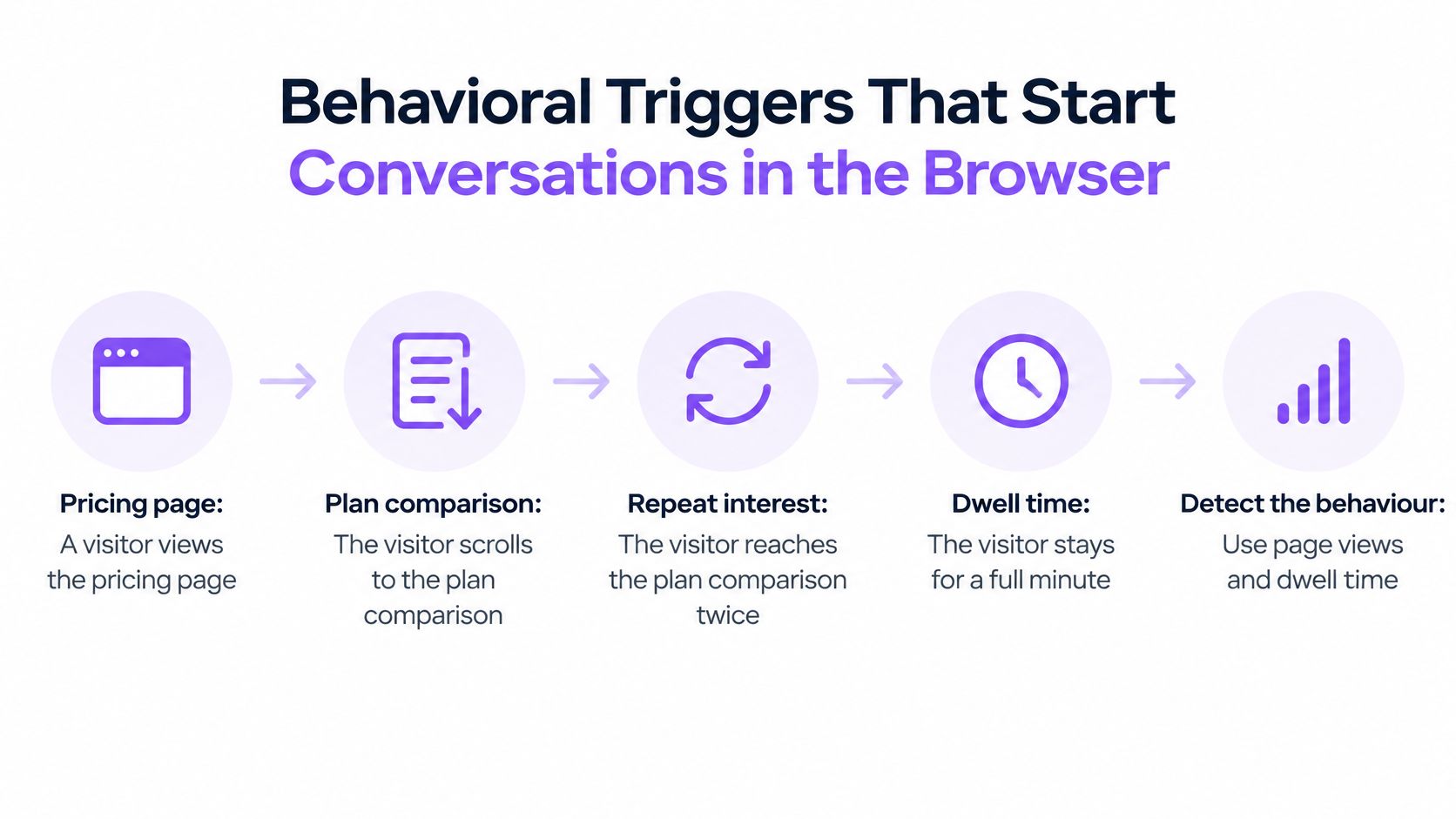
On a pricing page, a visitor returns to the plan comparison, scrolls through it again, and stays for a minute. Those actions suggest an active question, though they do not reveal exactly what the visitor needs. A form promising a reply tomorrow may be a poor fit for someone seeking help now. The goal is to connect a useful signal to a timely response without treating every visit as a request to talk.
Five Stages From Signal to Conversation
- Detect the behaviour. Use page views, time on page, scroll depth, or a repeat visit as signs of interest. Each is an imperfect clue, like seeing someone pause outside a shop. A pricing-page visit carries more intent than a quick homepage view, but neither proves readiness to speak.
- Qualify it. Check account fit and whether a representative is available. Without coverage, an invitation to talk now can become a broken promise.
- Engage in the browser. Offer live video, live chat, or AI chat that works without a download or channel switch. This is the practical core of conversational marketing on high-intent pages.
- Route or book. Connect the visitor to the right person, or offer one-click scheduling with automated reminders when immediate help is unavailable.
- Write it back. Record the conversation, meeting, and intent data in the CRM so follow-up does not rely on memory.
A Worked Example With Its Limits Stated
Salesforge, a sales engagement platform, added a website widget to start live conversations with engaged visitors. The company reported stronger demo booking and a meaningful share of pipeline, but published no figures for either result. Treat this as an illustration of the approach, not a measurable benchmark. Without a control group or specific metrics, the report cannot show how much the widget contributed.
The trigger itself matters as much as the tool. Start with higher-intent actions, such as repeated pricing-page visits, and make the invitation relevant to that moment. A broad trigger may create more conversations, but it can also interrupt visitors who are still comparing options. As traffic falls, even a promising tactic may not produce enough conversations to judge reliably. Keep the rule simple until there is enough visitor activity to learn whether it helps.
Platforms such as Captiwate package live video on pricing and product pages, AI chat outside business hours, and CRM sync for conversations and meetings. Teams can also combine separate chat, scheduling, and routing tools, though those connections require more setup and maintenance.
Trigger rule: Prioritize pricing visits and repeat visits over a first page view. Offer AI chat when no representative is online, and do not interrupt someone twice in the same session.
Restraint protects trust. A trigger that fires too early can teach visitors to dismiss the invitation, leaving less room for a useful conversation when they need help.
ABM Tiering and Dynamic Content for Target Accounts
The tiering diagram below shows the basic logic. The smaller and more valuable the account list, the more manual effort each page can justify.
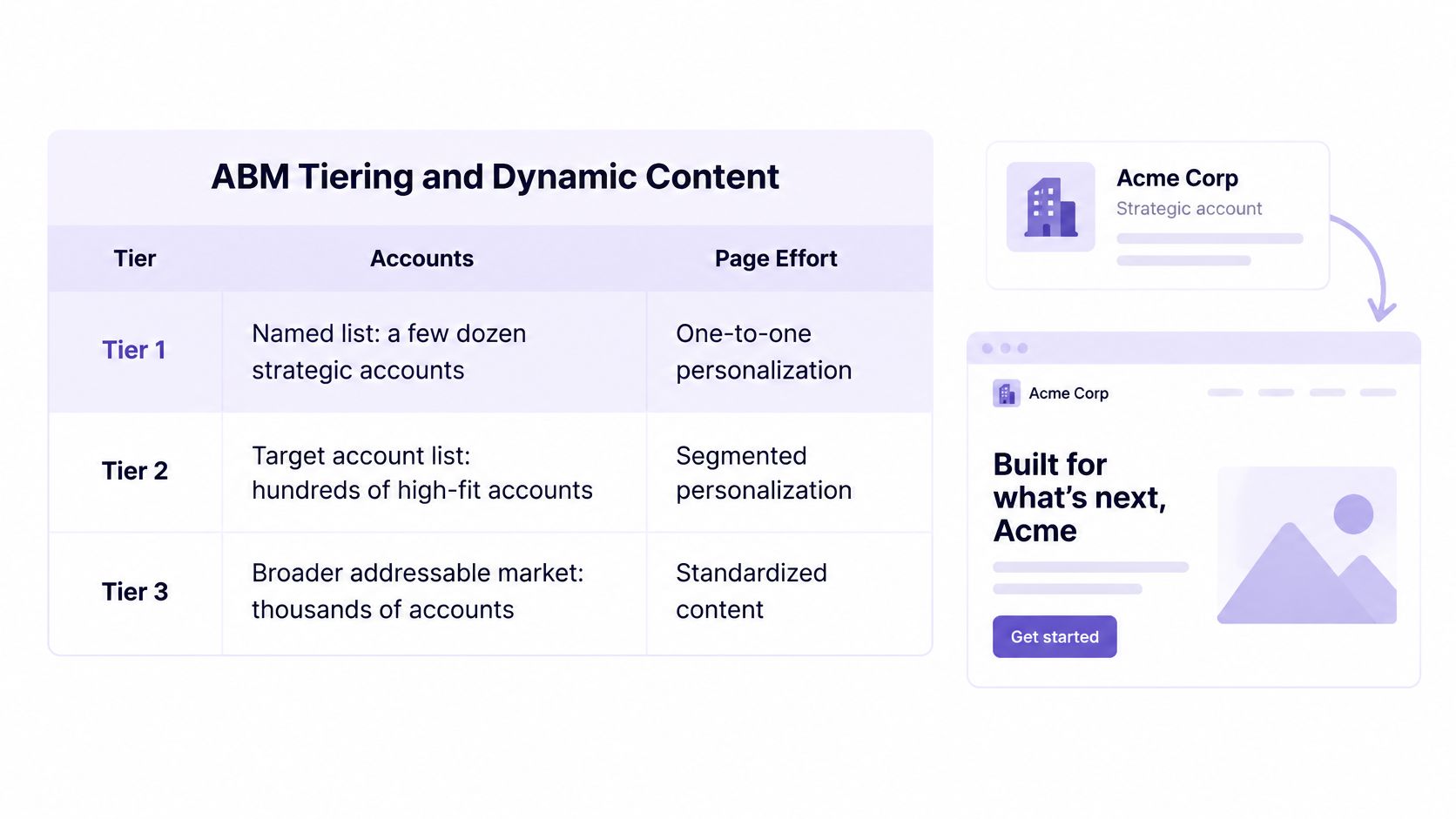
Account tiering answers a resource question before it answers a design question. You can’t hand craft pages for everyone, and you shouldn’t try. For broader program context, examples of account based marketing in practice show how teams match effort to account value outside the landing page itself.
| Tier | Account criteria | Page treatment | Engagement | Effort |
|---|---|---|---|---|
| Tier 1, one to one | Named strategic list, usually a few dozen accounts | Account specific hero, named use case and custom proof | Live video with an account executive | High, manual |
| Tier 2, one to few | Clusters of a few hundred accounts sharing an industry or size band | Vertical template, matching case study and integration proof | Live chat with an SDR and booking link | Medium, templated |
| Tier 3, one to many | Broad ICP matches identified by company data | Persona or intent based hero and CTA variants | AI chat qualification and self serve path | Low, automated |
| Untiered or anonymous | Unidentified visitors or accounts outside the ICP | Generic control page | AI chat or nurture only, no sales interruption | Minimal |
What Actually Changes on the Page
Beneath the tiers, dynamic content means swappable blocks. The headline, logo bar, case study, CTA, and form length can vary by tier. Navigation, prices, and legal copy stay fixed, because visitors compare notes and inconsistency on facts destroys trust faster than a generic headline does.
The video below walks through how tiered treatment looks when a target account arrives.
Two warnings keep tiering honest. First, don’t build Tier 1 pages for accounts that can’t justify the effort, because a hand built page for an account that never visits is sunk cost. Second, notice when sales capacity is the bottleneck rather than page relevance. If reps can’t answer, fix routing and coverage before you redesign the hero.
Tiers aren’t permanent labels. An account moves up when engagement deepens, such as repeat pricing visits from several people, and it moves down when interest cools. Review movement on a regular cadence with sales, or the tiers become a snapshot of last quarter’s strategy.
Privacy Limits and Consent Tiers for Personalization
In a Qualtrics XM Institute study of more than 23,000 consumers, 64% preferred companies that tailor experiences, while 53% were extremely or very concerned about personal data privacy and only 33% trusted companies to use their information responsibly. The practical challenge is to connect each signal to a useful page change without assuming visitors have agreed to every kind of tracking.
| Tier | Example data | Possible use | Consent and safeguards |
|---|---|---|---|
| Anonymous context | Campaign, device, referrer, page path | Match a campaign message or adapt a layout | Requirements depend on jurisdiction and whether the data counts as personal data. Check with counsel before relying on a no-consent assumption. |
| Consented first party data | Site behaviour, past purchases, account data | Tailor blocks to information visitors have shared | Explain the value exchange in plain language and obtain any consent required for the data and use. |
| Sensitive or inferred attributes | Health, finances, religion, ethnicity, protected traits | Avoid using for personalization unless explicitly permitted | Never use to gate access, routing, or prices. |
Working Within Each Tier
Campaign context can help keep a page consistent with the promise that brought someone there. Device or referrer signals require more care: their privacy status and consent requirements vary by jurisdiction and implementation. Treat “anonymous” as a description of what you know about a visitor, not proof that the data falls outside privacy rules. Before using these signals without consent, ask counsel to assess the applicable laws and notices.
With first-party data, make the exchange clear. For example, if a visitor provides team size, say that the page content may be adapted to it. The visitor should be able to understand what information shapes the experience and why.
Identification technology can connect a visit to an organization, but that capability does not settle what you may collect or use. Read how B2B website visitor identification works to understand the process, then decide what information your team needs, what it will retain, and what it will leave unused.
Sensitive or inferred attributes call for firm limits. Do not use them without explicit permission, and do not let an inferred trait change access, price, or routing in ways the visitor cannot see. A guess that disadvantages a prospect can damage trust and distort sales decisions.
Every personalized page needs a non personalized fallback. If consent is withheld or a signal is missing, show a complete, coherent page rather than empty blocks.
Measure trust alongside lift. Track opt outs, complaints, and dismissals alongside conversions so a short-term gain does not hide visitor discomfort.
Personalization works best when people can understand its basis. If a visitor wonders how you knew something, the page may have crossed a trust limit.
Testing and Measuring Lift Without Wasting Traffic
A landing page can convert more visitors and still produce fewer useful sales conversations. The test needs to connect each visitor signal and page change to an outcome the business values, while keeping enough traffic in each group to judge the result.
Randomly split visitors between a control and one or two variants. Measure qualified conversations or booked meetings, not clicks alone. A click shows that someone acted on a button; it does not show whether a buyer took a meaningful step.
Then follow the outcome into the CRM. A variant might attract more low-intent sign-ups and look successful in the page report, while leaving sales reps with more leads to filter. If the improvement does not reach the downstream team, the page has not created useful lift.
Coverage and the Stop Rule
Run a test through at least one full weekly cycle, ideally two. That gives weekday and weekend behaviour a chance to appear. Check statistical confidence before making a site-wide change. Teams establishing good testing habits can use these practical conversion rate optimisation tips to strengthen test hygiene before adding the extra complexity of personalized segments.
Decide the stop rule before launch. Estimate the sample each variant needs using the control’s conversion rate and the smallest lift worth acting on. If a segment cannot reach that sample within two weekly cycles, end its test and retain the control. This is an inconclusive result, not evidence that the variant won or lost. Setting the rule early prevents a test from lingering solely because the team is reluctant to close it.
When Traffic Is Thin
Low traffic and limited resources are common constraints. In a July 2025 survey of 264 U.S. marketers at companies with 500 or fewer employees, 41% named low traffic volume as a landing page challenge and 37% named limited time or resources.
For a small team, testing dozens of variants spreads visitors too thinly to reach a useful conclusion. Start with two or three high-volume hypotheses, such as whether an industry-specific message improves a pricing page. Combine a pre- and post-comparison with session recordings and guardrail metrics, and remove segments below the sample threshold rather than diluting the segments that could produce a verdict.
AI-generated variants can help form hypotheses, but generated copy is not evidence of lift. A tool may produce many headlines quickly; only visitor behaviour can show which one leads to qualified meetings.
| Metric | What it tells you | Reference value |
|---|---|---|
| Landing page conversion rate | Immediate response to the page | Compare with your control, using published medians for context |
| Qualified meeting rate | Whether conversions represent real buyers | Set against your own control |
| Opportunity creation rate | The variant’s pipeline impact | Set against your own control |
| Speed to first sales response | Operational effect of routing | Team baseline in minutes |
| Opt out and complaint rate | Trust cost of personalization | Set a guardrail before the test |
A benchmark can provide context, not a target. Convert.com’s summary of a dataset covering approximately 41,000 landing pages, 464 million visits, and 57 million conversions reports a 6.6% median conversion rate across industries and a 3.8% median for SaaS landing pages. Both figures come from that same dataset summary, so neither should be treated as a forecast for your page.
Compare a personalized page with a control that shares its traffic source and intent. An enterprise pricing page and a blog-driven sign-up page serve different visitors; their averages are poor substitutes for a like-for-like test.
Set guardrail thresholds in writing before results arrive. Decide how much increase in opt-outs, response delay, or unqualified volume would make you stop a variant, even if its conversion rate rises. A threshold chosen after seeing results can shift to excuse a change that costs more trust or sales effort than it earns.
Launch Your First Personalized Landing Page This Quarter
The checklist below condenses the launch sequence. The order matters more than the tooling, because each step protects the next one from wasted work.
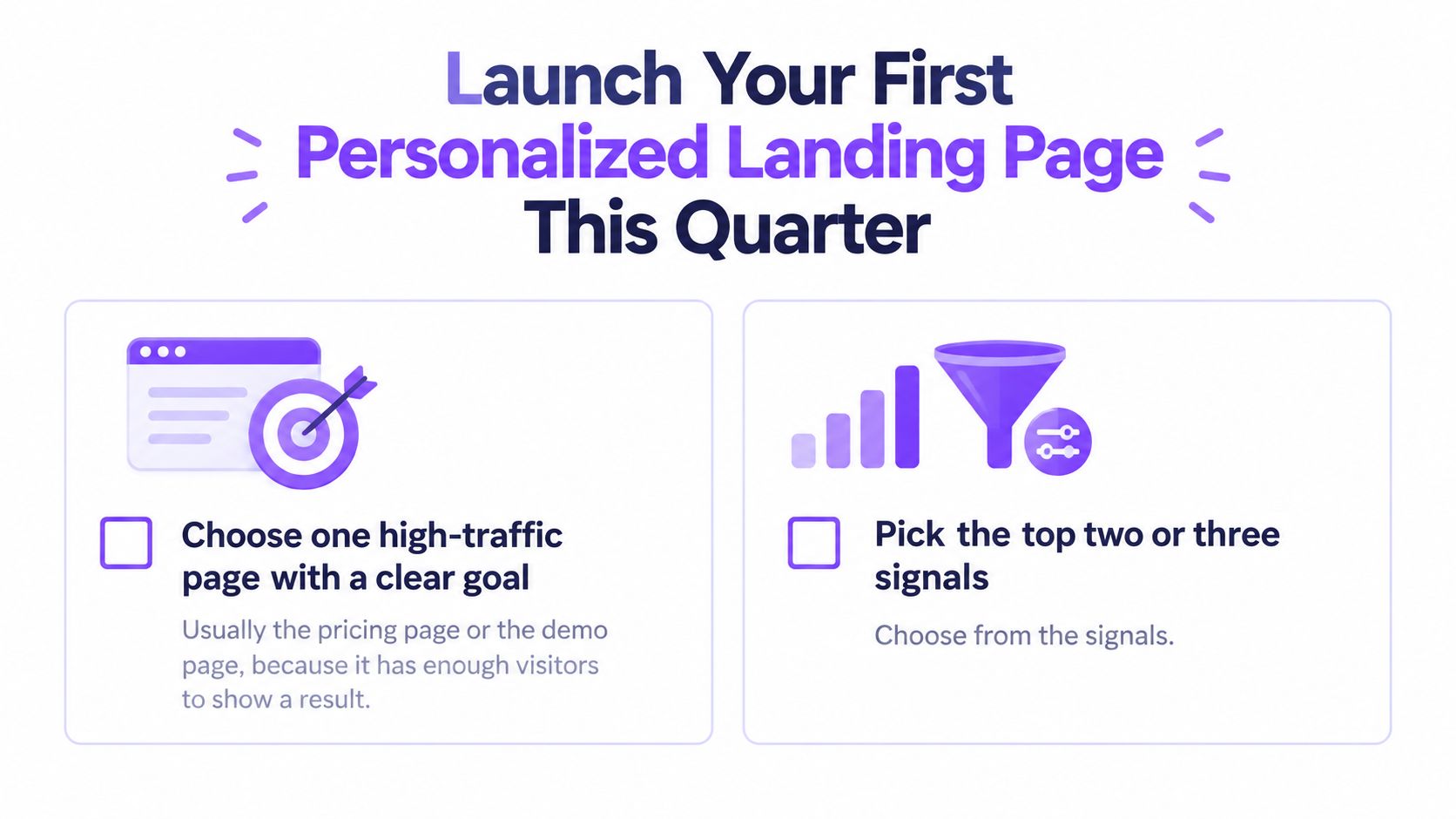
- Choose one high traffic page with a clear goal. The pricing page or demo page usually qualifies, because it has enough visitors to show a result you can act on.
- Pick two or three signals you can read without new consent. Campaign source, pricing page visit, and returning status work because they need no account lookup.
- Define tiers and the fallback before building. A visitor who withholds consent still gets a complete page, and your team agrees on that before design starts.
- Build one control and one variant. Change only the headline, proof, and CTA, so any result traces to a specific change rather than a bundle of guesses.
- Set the primary metric and guardrails in advance. Use the metrics table from the testing section, and commit to at least one full weekly cycle before reading results.
- Judge against qualified meetings and CRM outcomes. Compare each segment with its own control, not with site wide averages or last quarter’s traffic mix.
- Add a second signal only after the first repeats. A clear, repeatable result earns more complexity. A noisy one earns a simpler test.
Your first action is the pricing page test, this month. If live conversation is the gap you found, install one tracking snippet on pricing and product pages, set live video or AI chat triggers for returning pricing visitors, and connect CRM sync so every conversation is logged where sales already works. You’ll learn more from that single measured loop than from a quarter of debating segments.
If your pricing page already gets intent but loses it to forms and slow follow-up, Captiwate can connect those visitors to live video, chat, or AI qualification in the browser and book the meeting while interest is still live. Visit the site to see how visitor identification, behavioral triggers, and CRM sync turn your first personalization test into conversations your sales team can measure.