Firms that contacted a prospect within an hour were more than 60 times as likely to qualify the lead as firms waiting 24 hours or longer, according to the Harvard Business Review study of 2,241 U.S. companies. That figure is often treated as proof that every visitor needs a rep in five minutes. It isn’t. It measured web-generated inquiries and qualification, which makes it a strong reason to fix slow follow-up and a poor reason to interrupt every early researcher. The useful target is time to useful next step, set by buyer intent.
Table of Contents
- What Speed to Lead Actually Measures
- Response Windows by Buyer Intent
- KPIs to Track for Speed to Lead
- Common Bottlenecks That Slow Your Response
- Practical Ways to Cut Response Time
- Does Faster Response Lift Revenue
- Build Your Speed to Lead Response Path
What Speed to Lead Actually Measures
A visitor reads your pricing page at 2:14 pm. A rep receives a Slack alert at 2:15 and starts a live chat at 2:17. That three-minute gap is Speed to Lead in its simplest form, but only if you start and stop the clock at the right moments.
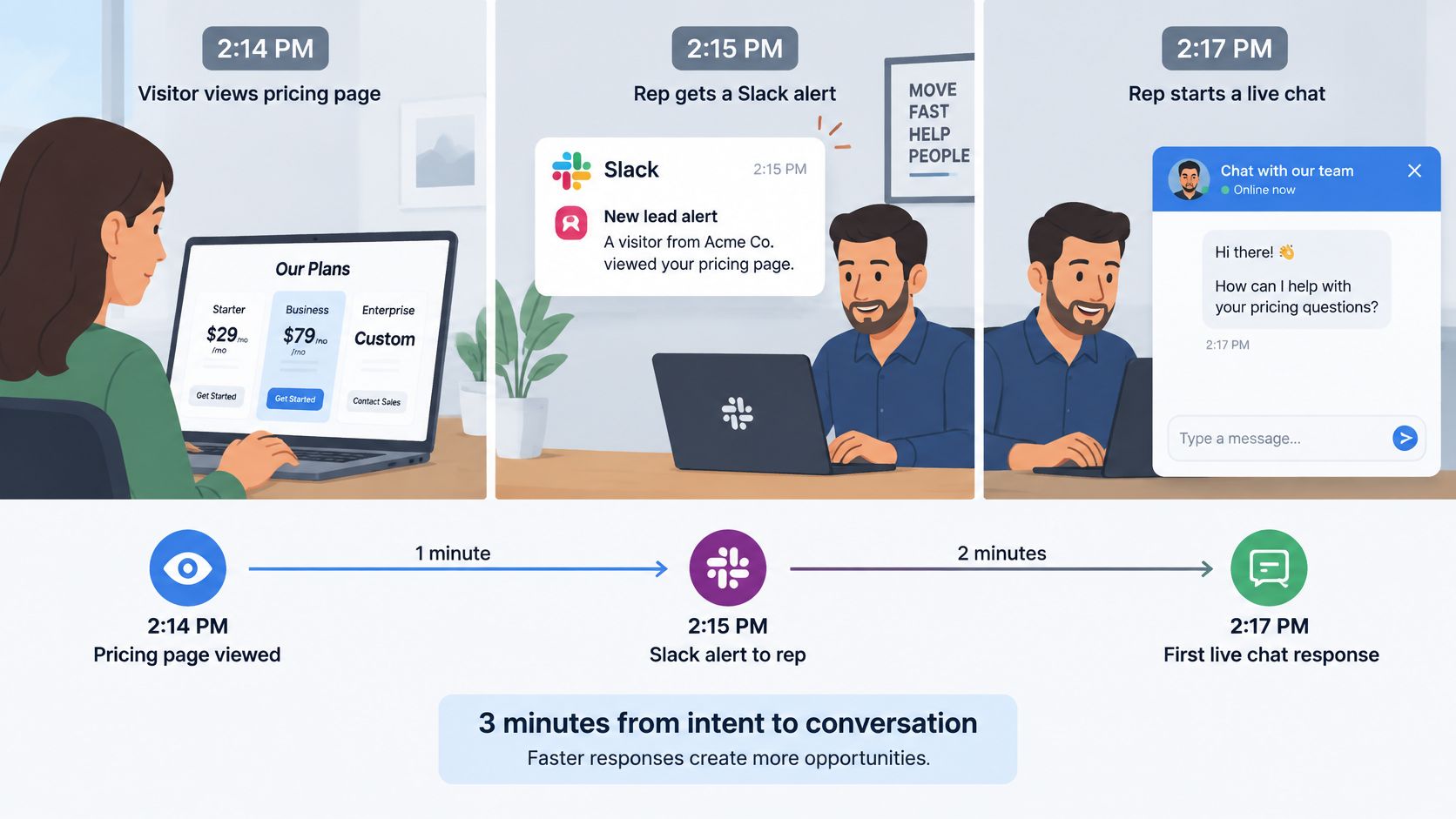
Speed to Lead is the elapsed time between a qualifying buyer signal and the first meaningful interaction. The signal might be a pricing visit, a demo request, or a repeat visit from a target account. The response might come from a person or from an automated system that can qualify, answer, route, or book a meeting.
A smoke alarm is valuable because someone acts while the problem is still small, not because the sound itself solves anything. A fast alert that nobody owns doesn’t improve the buyer’s experience.
Three Events Teams Often Merge
Keep these events separate, because each one exposes a different operational problem.
- The intent event: The buyer does something that starts your clock, such as viewing pricing or requesting a demo.
- The first response: A rep or a capable automated system makes the first meaningful attempt to help.
- The first qualified conversation: You confirm need, timing, fit, or another qualification criterion your team uses.
The common mistake is starting the clock at form submission. That hides every minute the visitor spent researching, waiting, or trying to decide whether your form was worth completing. It also makes form-first processes look faster than buyers experience them.
Practical rule: An auto-reply that only says you’ve received a message doesn’t stop the clock. Nothing has helped the buyer decide, qualify, meet, or move forward.
That distinction matters when you’re converting B2B prospects through timely follow up, because a dashboard can reward instant acknowledgment while the prospect still waits hours for a useful answer. A confirmation email is administrative. A conversation, a qualified AI interaction, or a booked meeting changes the buyer’s next step.
Try a short exercise before you change any tooling. Write down the exact event that starts your clock, the exact event that stops it, and the last time you measured both from the buyer’s side. If your team gives three different answers, you don’t have a response-time problem yet. You have a definition problem.
Response Windows by Buyer Intent
The Harvard Business Review audit found that only 37% of companies responded within an hour and 23% never responded at all, as detailed in The Short Life of Online Sales Leads. Companies contacting leads within an hour were nearly seven times more likely to qualify them than companies waiting another hour. Those results concern web-generated inquiries, not every anonymous website visit or every kind of conversion.
That scope matters. A demo request from a target account and a first visit to a blog post don’t deserve the same response, even if both happen during business hours. Treating them identically creates two failures at once. Hot prospects wait behind low-intent work, while early researchers get sales prompts they didn’t ask for.
Match the Window to the Signal
Use behavior, fit, and context together. A pricing page means more when the visitor returns several times, matches your target profile, and views product pages in depth. A resource download means less when the company doesn’t fit and the visitor has no other activity.
| Intent tier | Typical signals | Response approach | Target window |
|---|---|---|---|
| High | Pricing or demo page, repeat visits, target-profile company | Live video or chat with a rep, plus rep alert | Under 5 minutes |
| Medium | Several product pages, multiple sessions, no form yet | AI chat that qualifies and offers a booking link | Within 60 minutes |
| Low | Blog post or resource download, single visit | Nurture email or self-serve resources | Within 24 hours or self-serve |
| Out of hours, any tier | Visit outside business hours | AI chat and booking, human follow-up at next business opening | Next business hour |
These windows are operational starting points, not universal laws. The high tier gets a human option quickly because the buyer is showing decision-stage behavior. The medium tier gets qualification and scheduling without forcing a live call. The low tier gets useful material and room to research.
Your team also needs a consistent way to recognize buying signals that separate active evaluation from casual browsing. Page type alone isn’t enough. Combine page intent with repeat behavior, company fit, form context, and time of visit before you decide whether to interrupt.
What Should Happen at 9 PM
Say a return visitor from a target account views pricing at 9 pm. No rep is on duty, so AI chat answers the visitor’s questions, checks basic fit and timing, and offers a meeting time. At 8 am, the assigned rep opens the transcript, sees what the visitor asked, and follows up with context instead of a generic introduction.
That is time to useful next step. The buyer didn’t wait until morning for help, and the rep didn’t start cold. The response was immediate, but the human conversation happened when a qualified person was available.
Other service businesses face the same coverage choice, which is why models such as 24-hour call coverage for injury firms focus on capturing urgent inquiries outside office hours rather than pretending business hours match buyer behavior. The B2B version can use AI chat, scheduling, and a clear human handoff instead of a phone queue. What matters is that the visitor receives substantive help and knows what happens next.
Consent needs the same tiered thinking. Rules and expectations for visitor identification, recording, chat transcripts, and automated outreach vary by region. Don’t copy a United States form-based playbook into every market without checking what you can collect, store, and use.
Faster isn’t always better for the buyer. A live sales prompt can help a pricing visitor and annoy someone reading an introductory guide.
Measure each tier against its intended outcome. High-intent traffic should produce qualified conversations and meetings, medium-intent traffic should produce qualification or bookings, and low-intent traffic should produce useful engagement without premature sales pressure. One blended response average hides whether any of that is working.
KPIs to Track for Speed to Lead
One average can hide the leads that matter most. Your median response might look healthy while a slow tail contains overnight pricing visitors, weekend demo requests, and target accounts routed to absent owners. That’s why you need a small set of Speed to Lead KPIs that separates acknowledgment, human response, qualification, and booking.
The measurement logic in the LeadSixty Speed to Lead guide separates human response, automated response, qualified conversation, and booked meeting. That separation prevents a fast acknowledgment from inflating activity metrics when no substantive qualification has happened. Each stage needs its own timestamp and owner.
Start With These Measures
| KPI | Definition | Suggested starting target |
|---|---|---|
| Median first response time | Middle value of minutes from intent event to first reply | Under 5 minutes for high-intent visitors |
| 90th percentile response time | Response time that 9 in 10 leads beat; exposes the slow tail | Under 30 minutes for high-intent visitors |
| Time to qualified conversation | Minutes from intent event to a conversation that confirms need and timing | Set per intent tier |
| Automated acknowledgment rate | Share of leads answered by AI chat or auto-reply within 60 seconds | Near 100% outside business hours |
| Meeting-booking rate | Share of qualified conversations that end in a booked meeting | Compare by intent tier and response path |
| Show rate | Share of booked meetings that the prospect attends | Compare by response path |
| Off-hours coverage | Share of after-hours visits that receive a reply before the next business day | Set per market |
Instrument the chain in your CRM before debating targets. Preserve the original intent event, first automated response, first human response, qualification time, meeting time, and final outcome. Don’t overwrite the intent timestamp when a lead record is created later by an integration.
Read the Numbers by Segment
Review median and 90th percentile latency every week. Segment both by page intent, business hours, region, and response path. A five-minute median during office hours doesn’t excuse a twelve-hour tail at night.
Automated acknowledgment deserves special care. It tells you whether coverage exists, but it doesn’t tell you whether the buyer received a useful answer. Pair it with time to qualified conversation, meeting-booking rate, and show rate.
Treat every target in the table as a hypothesis. Tie it to pipeline created, meetings held, and qualification quality in your own market before turning it into a firm service-level objective. A target your team hits by sending shallow replies will improve the dashboard and disappoint buyers.
Common Bottlenecks That Slow Your Response
The gap between buyer intent and seller action remains large. In RevenueHero’s 2024 audit, 63.5% of 1,000 B2B SaaS companies did not respond to a submitted demo request, according to the RevenueHero audit summary. Among companies that did respond, the reported average response time was 1 day, 5 hours, and 17 minutes.
Most of that delay isn’t caused by reps refusing to work. It’s caused by unclear ownership, noisy alerts, forms placed before help, and queues that sort by arrival instead of intent. Adding headcount to a broken path usually creates a larger queue, not a faster one.
Find the Constraint in Your Own Data
| Bottleneck | Where it shows in your data | Quick check |
|---|---|---|
| No clear owner | Leads sit unassigned; first touch varies by rep | Count leads with no owner 10 minutes after capture |
| Noisy alerts | Alerts post to busy channels and go unread for long periods | Compare alert time with the time the alert was first opened |
| Form-first flows | Long gap between the pricing visit and the form submission | Compare pricing-page visits with form fills per week |
| Off-hours gaps | Weekend and overnight leads show response times above 12 hours | Split response times by hour of day |
| Wrong region or time zone | Reps outside the lead’s region claim the lead | Check rep location against lead location |
| Low-intent leads crowding the queue | Hot leads wait behind resource downloads | Sort the queue by intent score |
| Duplicate records | The same company appears as several leads | Count duplicates per company domain |
Run the quick checks before you redesign everything. If unassigned leads explain the slow tail, fix ownership and routing first. If after-hours arrivals explain it, routing changes during office hours won’t solve your largest delay.
This is also where your choice of lead distribution logic becomes visible in buyer experience. A round-robin rule that ignores region, availability, account ownership, and intent can assign a hot visitor to someone who is asleep or already overloaded. The buyer sees silence even though your system technically routed the lead instantly.
Pick the bottleneck your checks flag most often and fix that one first. A single constraint usually creates the longest tail, so removing it moves the median and the 90th percentile faster than spreading small improvements across every step.
Practical Ways to Cut Response Time
The five-minute benchmark comes with important limits. The 2007 Lead Response Management Study associated with Dr. James Oldroyd, based on more than 15,000 leads across six companies, found that qualification odds were approximately 21 times higher when the first attempt occurred within five minutes rather than after 30 minutes, according to the Lead Response Management research summary. Contact odds were approximately 100 times higher over the same interval.
Those are contact and qualification odds, not guaranteed revenue. Still, they justify removing avoidable waiting from high-intent paths. The goal is to help the buyer while the question, comparison, or buying task is still active.
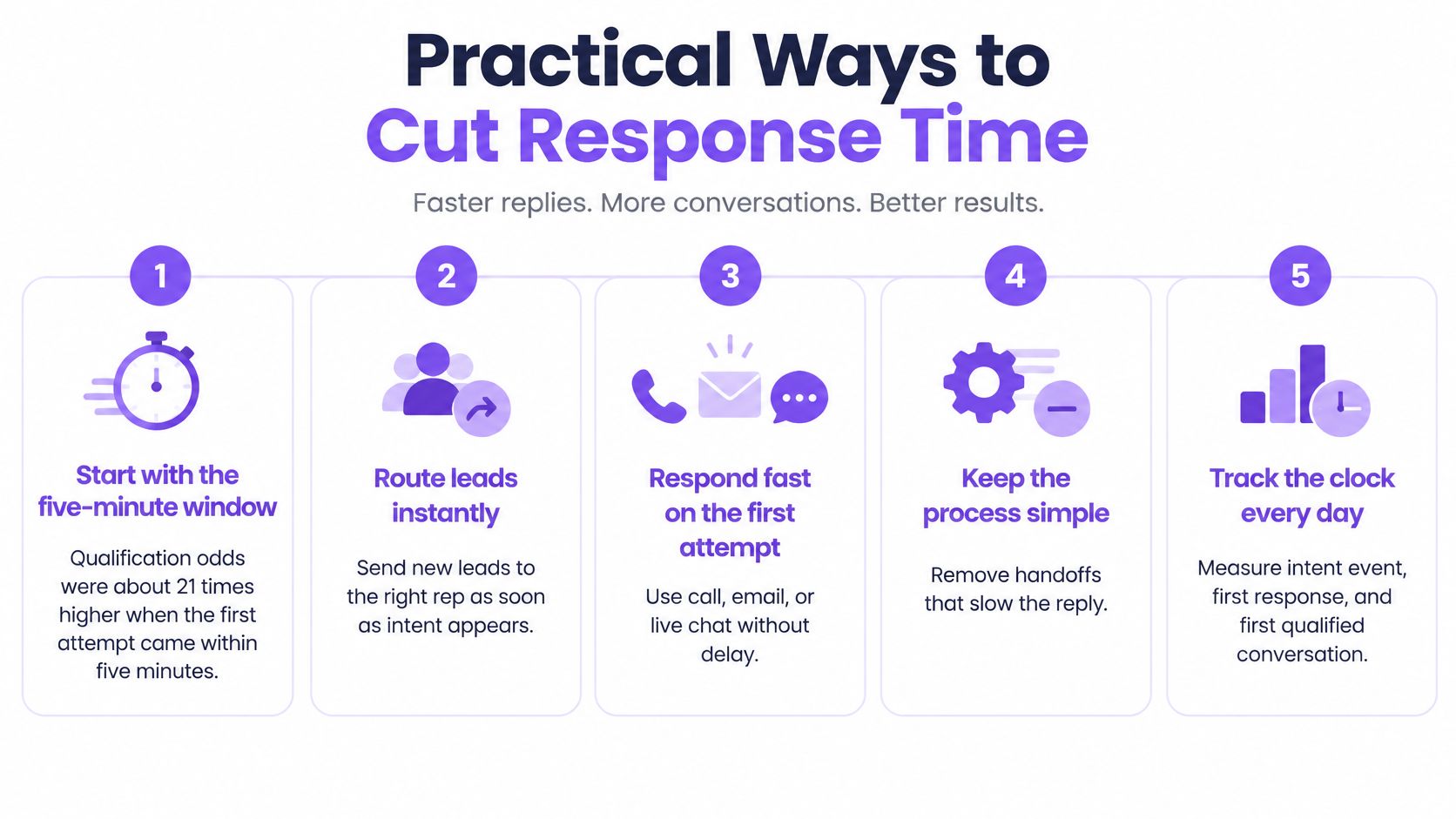
Six Moves That Remove Waiting
- Route each hot signal to a named owner. Send the company, page, visit history, and reason for the alert with the assignment, so the rep can start a relevant conversation instead of researching first.
- Offer live video or chat in the browser. Place it on pricing and key product pages where a visitor may want help now, rather than making every buyer complete a form and wait.
- Use AI chat outside business hours. Let it answer, qualify, route, and book. Similar intake discipline matters in other high-urgency settings, including work handled by legal intake specialists, where the first interaction must capture the right details before a professional takes over.
- Offer one-click scheduling. Sync the calendar and send automated reminders, so a buyer who can’t talk now can still leave with a confirmed next step.
- Segment visitors on every pageview. Move target-fit, high-intent visitors to the top of the queue and keep early researchers on a self-serve or nurture path.
- Alert the right person where they’ll act. Send focused alerts in Slack or Microsoft Teams with the page, company, and visit history, and use a backup when the first owner doesn’t respond.
Tools such as Captiwate combine in-browser video, AI chat, intent detection, routing, and scheduling in one path, but the operating principle works with any stack. Detect the signal, choose the response that fits the tier, assign an owner, and give the buyer a booking option when live help isn’t possible. Don’t buy speed before you’ve defined qualification.
Speed without a qualification step only produces faster unqualified conversations. Your reps get busier while pipeline quality stays flat.
Start with the path that carries the highest intent and the clearest revenue consequence. Pricing and demo traffic usually gives you the cleanest test because the desired next step is obvious. Once that path works, extend the same ownership and escalation rules to medium-intent product traffic.
Does Faster Response Lift Revenue
Faster response is best described as a qualification lever with revenue potential, not as a proven revenue guarantee. The strongest widely cited evidence measures contact and qualification odds. It doesn’t, by itself, prove incremental pipeline, higher win rates, or happier customers in your market.
Most of that evidence is also older, United States-centric, and based on form-generated inquiries. Today’s buyers often research extensively before involving a salesperson. A pricing-page visit can signal active evaluation, but it isn’t the same commitment as a demo request.
Test It Instead of Assuming It
Hold out a comparable share of high-intent visitors from the fast path for two to four weeks. Compare meetings booked, qualified pipeline, win rate, and buyer satisfaction, not only first-touch time. Segment by region, time zone, and channel, because consent expectations and coverage patterns differ.
That test also protects you from a subtle failure. A fast but unhelpful reply can reduce trust even while your response dashboard improves. If buyers book more meetings but attend fewer or qualify less often, you haven’t created the gain you expected, even if your process to shorten the path from interest to conversation looks faster on paper.
Treat speed as a hypothesis. Keep it where pipeline outcomes improve, soften it where buyers prefer self-serve help, and retire any target that rewards activity without progress.
Build Your Speed to Lead Response Path
You can build a credible first version this month without rebuilding your whole inbound motion. Start with measurement, assign intent-based windows, and close the coverage gap that creates your slowest tail.
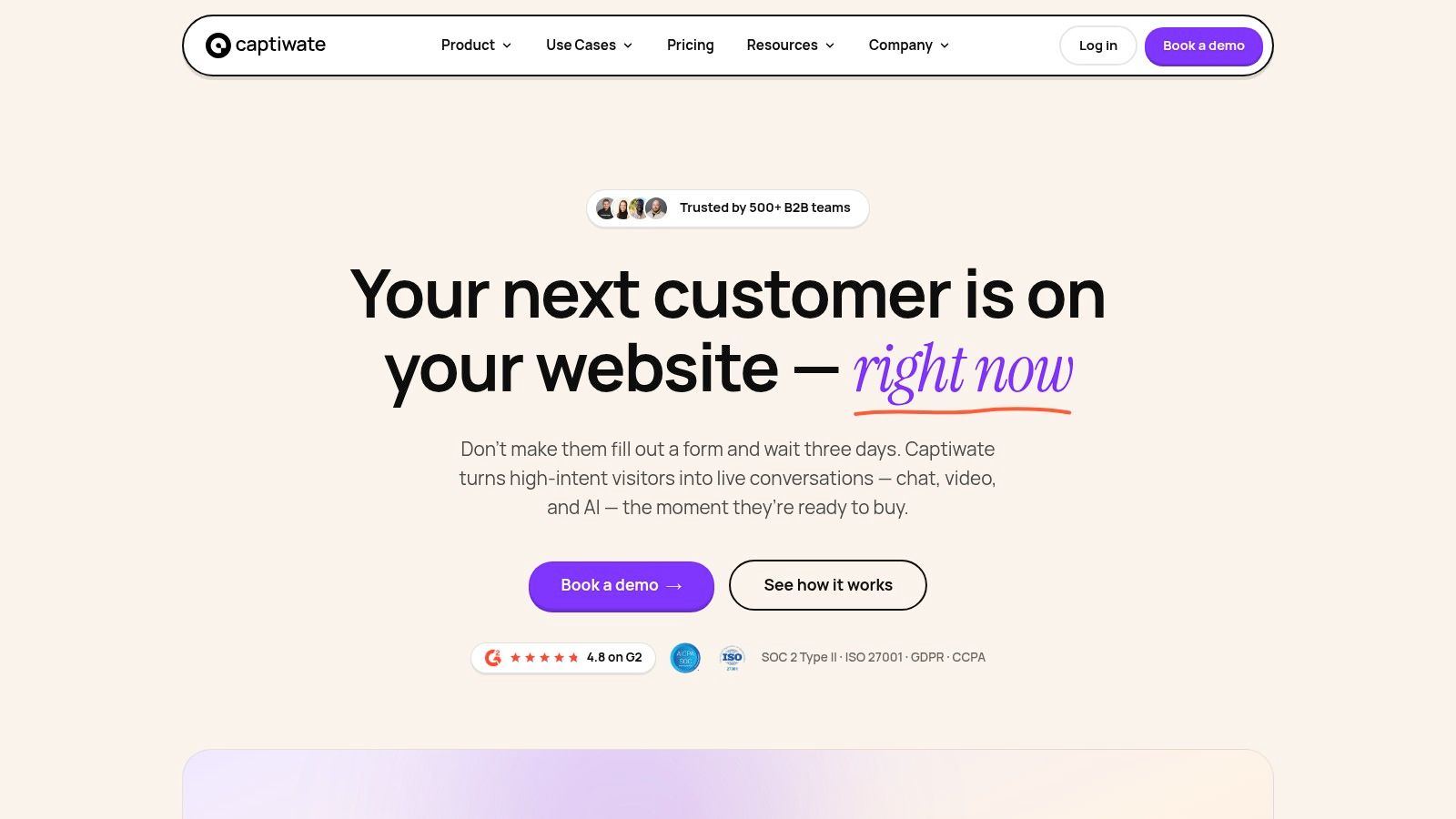
The homepage screenshot below shows the kind of website engagement path this plan can run on, with live and automated response options presented where visitors already are.
Your First Four Weeks
- Measure your current clock for two weeks. Record the intent event, first response, and first qualified conversation without changing the process yet.
- Assign each intent tier a target window. Use high, medium, low, and out-of-hours paths instead of one deadline for every visitor.
- Name one owner and one backup. Give every high-intent alert an accountable person, a backup, and a channel that isn’t buried in general chat.
- Choose off-hours coverage. Use AI chat with booking where appropriate, then confirm exactly how and when a human receives the transcript at the next business opening.
- Review median and 90th percentile weekly. Compare both with qualification, meeting, show-rate, and pipeline results for four weeks before setting firm service levels.
For Captiwate, getting started has three steps. You book a demo and integrate the script, start revealing and scoring visitors by intent, then start turning them into pipeline. Its AI Chat has a Speed to Lead of under 1 minute, but you should still validate whether that speed produces qualified conversations on your own traffic.
Watch the short walkthrough below, then pilot the path on a defined slice of high-intent traffic before committing to any stack.
A good pilot has a baseline, a clear intent tier, named owners, and pipeline outcomes. If the faster path wins, expand it. If it only creates quicker shallow replies, fix the response quality before you scale it.
Captiwate helps your team respond at the moment intent appears with in-browser live video, chat, AI qualification, routing, and scheduling, so high-intent visitors get a useful next step instead of a form and a wait. You can book a 30-minute demo to see it on your own website and judge the experience against your current response clock. Visit Captiwate to start your pilot.